
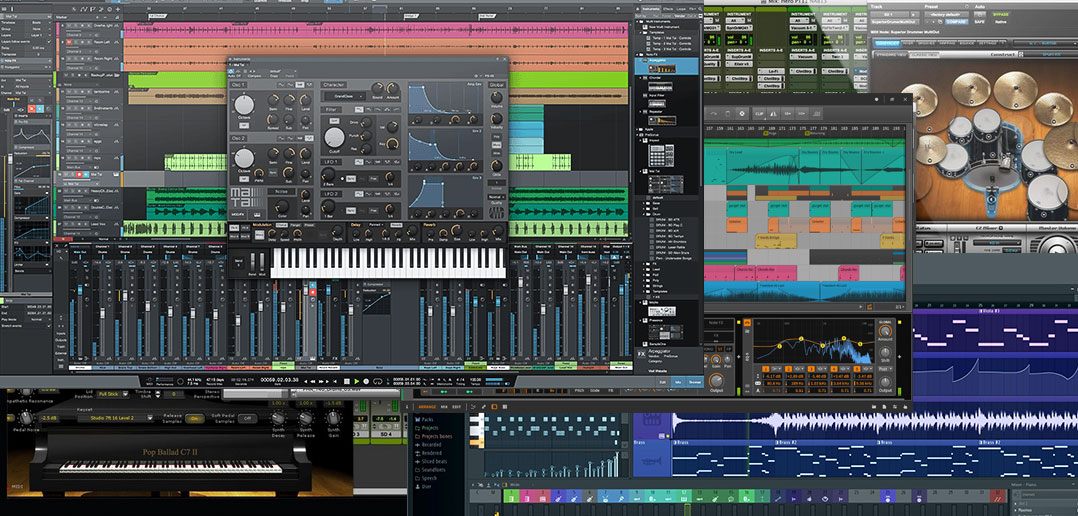

Why is your choice of DAW important? The platform that you use for recording, arranging and mixing will significantly inform the creative decisions and paths you take as you develop and shape your musical ideas through each stage of the production process. This is especially true for electronic styles, where the music often results from a more symbiotic, collaborative relationship between the musician and the technology, with the DAW taking the role of a musical instrument in it’s own right.
Your choice of music production software also has a bearing on the range of hardware and other software tools you will be able to integrate into your production workflow, and which of these you might want to invest in to cover any bases not immediately addressed by the DAWs own features or bundled plugins. We’ll get into all this below.
Who is this guide for?
- Beginners: You’re just beginning your production life, and interested in surveying the options available.
- Experimenters: Maybe you’re looking to grow beyond your current setup, are feeling constrained by the limitations or uninspired by the familiarity of your current DAW, and lusting after a feature in a rival DAW, or just curious about the alternatives and the developments that have been made since you last researched the options.
- Gear junkies: Or perhaps you’re wanting to make a straight addition to your current setup with a second DAW that encourages a different kind of workflow, to mix things up creatively, break out of any production ruts and generally expand your creative options.
One thing’s for sure: it can be difficult for beginners or anyone with limited time or experience to find objective information on the subject. Even for experienced users, it’s impossible to stay up-to-date on every DAW development and point release. Every DAW has it’s own impassioned and invested advocates (and critics), who will quite understandably try to convince you that their choice is the right one. No harm in that – it’s part of the fun – but here we’ve done our best to provide an impartial roundup.
What is a DAW anyway?
A DAW, or Digital Audio Workstation, is the software platform that acts as the hub of your studio. It’s where all audio recording and editing, MIDI sequencing, arranging, and mixing takes place. It’s also where your plugin instruments – synths, drum machines and samplers – virtually “plug in” to.
10 Best DAWs 2017: Our Contenders
Let’s get this out of the way up front: there is no single definitive best DAW. Just as with our plugin roundups, we’re here to guide you through the diversity of choices with a carefully curated selection, rather than specify an arbitrary “winner”. In this article we’re highlighting what we think are the best ten. Below the list, in the Buyers Guide section we’ve broken down the key criteria that you can use to judge each of them against your own requirements. The idea is that from these ten, you should pretty quickly be able to narrow down a pool of perhaps 2 or 3 DAW platforms that pique your interest, and that would each serve your particular needs, budget and circumstances (albeit in slightly different ways). However you do it, we’d recommend trying at least two DAWs before making final decisions, just so that you can get a sense of just how much difference (or lack of difference, as the case sometimes may be) there actually is between them. Demo your shortlist selections, and then make your informed choice from there.
We like the analogy that choosing a DAW is a lot like choosing any other type of musical instrument: because this is essentially what a DAW is, a 21st century musical instrument. It’s especially like choosing a guitar: the best models each have quite an identifiable and individual character; they all cover the fundamentals, but each has it’s specialities as well, which lend it to some approaches and styles more than others; and the DAW you use says something about your entire approach to music, what you value musically and how you think about your own craft. Finally, when you play one that just feels right, no amount of technical information can quite explain it – its an intuitive thing. Let’s get into it.
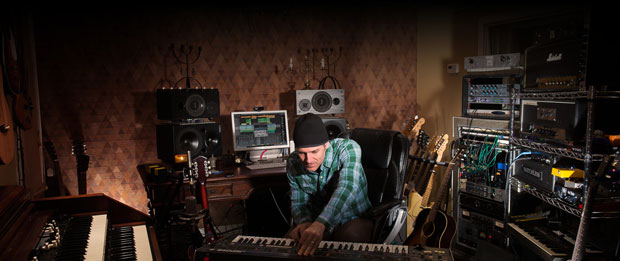
1. PreSonus Studio One
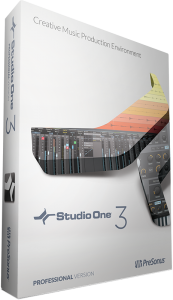 PreSonus were already well known for their hardware mixing consoles, preamps and audio interfaces when they released the first version of Studio One back in 2008. Even at that stage, Studio One seemed remarkably mature for it’s age, and now on version 3, Studio One is actively cementing it’s position as a DAW heavyweight, gaining traction not only amongst new producers but also with professionals and veteran Pro Tools users who see it as that DAWs most likely contender/successor as an industry solution (there’s even the option to continue using Pro Tools, Cubase and Logic Pro key commands for users migrating from those platforms).
Key features: A single Song page displays everything – Arrange view, track Inspectors, browser, edit and mix views, and even video track – meaning no constant switching between different windows; Drag-and-drop of effects and instruments with auto-routing; Smart browser management with plugin thumbnails; Arranger Tracks and Scratch Pads for fast and flexible jamming and arranging of ideas.
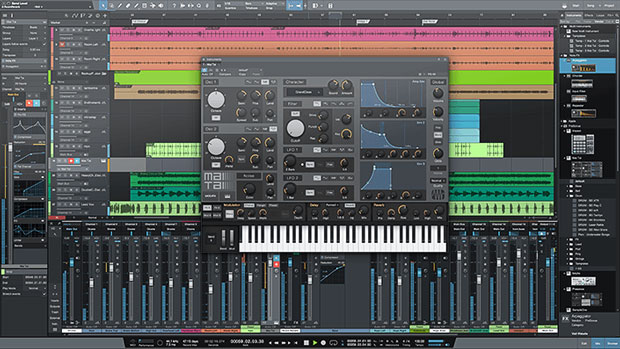
Standout instruments and effects: Mai Tai polyphonic analogue modeling synth; Presence XT sampler, which can open EXS, Giga and Kontakt libraries; Integrated Melodyne pitch and time- shifting and editing; OpenAIR convolution reverb plugin.
Bundled library content: 10,000 audio and music loops; 14 GB Presence XT sampler sound library (Professional version).
Operating Systems: MacOS, Windows
Available editions (standard prices): Prime (Free), Artist ($85), Professional ($340)
BUY NOW via Amazon | Thomann | Gear4music
2. Ableton Live
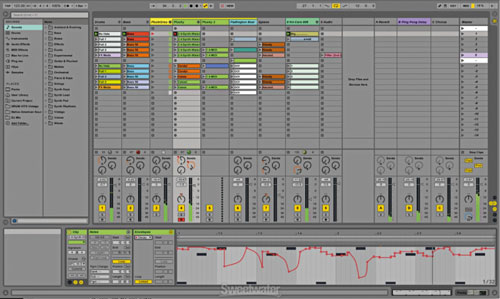
 One of the most popular DAWs amongst electronic musicians, Ableton is synonymous with loop-based improvisation and arranging that makes it equally suited to live performance as much as it is a “traditional” studio environment for recording, arranging and mixing. A supremely versatile DAW with quite a ruggedly uniform, business-like GUI which belies an open-ended approach to workflow, inviting spontaneity and development of ideas in different ways than other, sequencer-based DAWs.
Key features: Work is divided between Arrangement and Session views, with Arrangement the most like a traditional DAW arrange window, and Session view where you put together discreet channels and layers of Clips (snippets of audio or MIDI that can contain a single sound or note, or an entire drum loop or musical pattern); Complex Warp modes enable flexible and high-quality tempo-syncing of tracks and loops without interrupting master output plaback; Assignable envelopes allow for automation and modulation of almost every Live parameter.
Standout instruments and effects: Sampler and Drum Racks for loading, editing and creating flexible custom sample kits; the FM/subtractive synth Operator, a great all-rounder; Glue compressor, based on the respected Cytomics’ The Glue; MAX For Live enables you to get under the virtual hood and into the programming details of its instruments and effects, to build your own custom sound-mangling and -controlling tools. With Live Suite you get nine instruments and 41 effects plugins.
Bundled library content: 11 instruments and 44 effects plugins, 3,000+ sounds (Live Suite).
Operating Systems: macOS, Windows
Associated hardware: Push 2 controller.
Available editions (standard prices): Intro ($99), Standard ($449), Suite ($749)
BUY NOW via Amazon | Thomann | Gear4music
3. Image-Line FL Studio
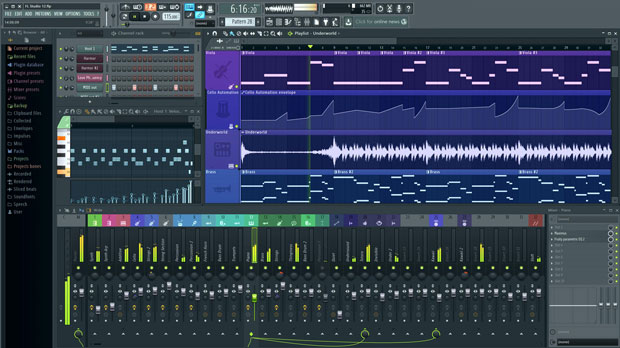
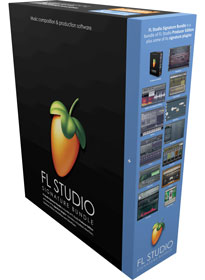 A firm favourite amongst electronic producers, FL Studio has undergone one of the most radical journeys of development of any DAW. Starting from fairly humble origins in 1998 (then called Fruity Loops), with each recent update release the program has morphed into a fantastic, fully-featured music production environment that is truly on a par with any other platform. It’s also one of the most popular DAWs for completely in-the-box production. This is partly down to the sales strategy: Image-Line promise that after your initial purchase you will never have to pay for future updates – a hugely popular and attractive feature amongst users, who can look on smugly at users of rival platforms who are sometimes expected to pay significant amounts for updates (that can come relatively often in the fast-paced DAW market).
Key features: With the current version 12 (released in 2015), a new-look and fully scalable interface; Multi-touch allows you to use any touch-screen tablet device such as an iPad or Microsoft Surface as a Mixer controller; As mentioned above, lifetime free updates.
Standout instruments and effects: Harmor additive synth with a subtractive-style layout, that can also operate in image and audio file synthesis modes; Sytrus FM synth; Edison audio editor; NewTone pitch/time editor. We should also mention that Image-Lines stand-alone plugins are always worth checking out, regardless of which DAW platform you’re on.
Bundled library sound content: A lot of options that you can add individually or purchase separately, meaning that if you already have a sample collection or prefer to buy individual sample and preset packs to suit your tastes, you won’t be paying for extra unwanted content with the DAW itself.
Operating Systems: Windows
Available editions (standard prices): Fruity ($99), Producer ($199), Signature ($299), All Plugins Bundle ($899)
BUY NOW via Amazon | Thomann | Gear4music
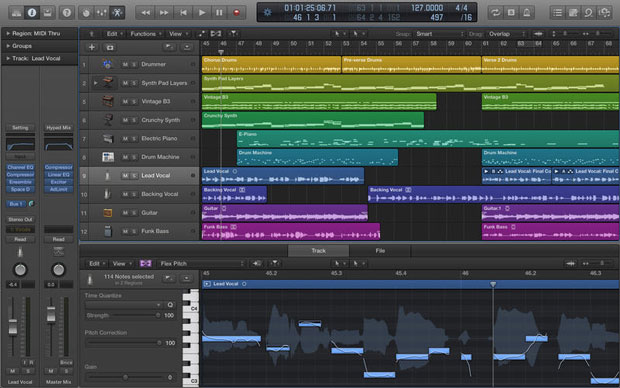
4. Apple Logic Pro X
 One of the original and longest-serving DAWs available, Logic has been developed beyond recognition from its pure MIDI roots. With X, Logic underwent some overdue cosmetic enhancements and a functionality overhaul, consolidating what it has always been good at and adding a ton of new plugins, MIDI effects and feature enhancements. Logic is also certainly one of the best-value DAW packages you can buy, so if you already own an Apple computer or are looking to get one with your DAW as a complete production solution, you can consider the relative high cost of a MacBook Pro being offset by the absolute bargain of a professional DAW for under $200.
Key features: Easy progression from Garageband; MacBook Pro Touch Bar integration; a well-developed, flexible and fully-featured mixer and overall workflow, as you would expect from such an established DAW; attractive, classy-looking GUI and track/instrument icons that aid fast work in complex projects.
Standout instruments and effects: Drummer; Alchemy synth (brought into Logic after Apple purchased the much-loved Camel Audio).
Bundled library sound content: Initial installation includes 2 GB, with 30 GB auto-downloaded on first launch.
Operating Systems: macOS
Associated hardware: Additional functionality with a Touch Bar-equipped MacBook Pro; iPhone and iPad can also be used as Logic Remote controllers.
Available editions (standard prices): Single version only ($199.99), although Logic Pro is a natural step up from Garageband, and dovetails with Mainstage for live use.
BUY NOW via Mac App Store
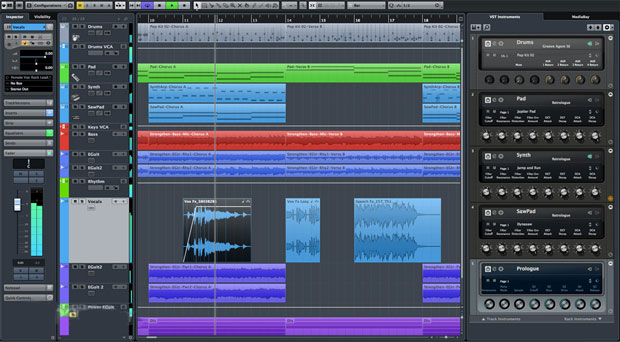
5. Steinberg Cubase Pro
 Another of the original wave of DAW platforms, Cubase has been the venue of some of the most significant innovations in music production over the years, from the debut of Steinberg’s own VST plugin format, to the introduction of real-time time-stretching. Oftentimes, the fact that a software solution has been through as many iterations and developments, and ridden the waves of trends and new production paradigms as Cubase has, proves it’s one of the best and most bulletproof solutions available.
Nuendo is a variant of the Cubase platform, an especially feature-rich version that is designed for high-end audio and video post-production.
Key features: Highly configurable Mixconsole with VCA Faders; VariAudio allows MIDI-style time and pitch manipulation and correction on monophonic audio tracks (e.g. vocals, guitars, synths); Chord Track, Chord Pads and Chord Assistant are tools to support and enhance creative songwriting and chord progressions regardless of your music theory knowledge level; Media Bay for efficient sample and preset management; VST Connect SE and Transit services for remote collaboration.
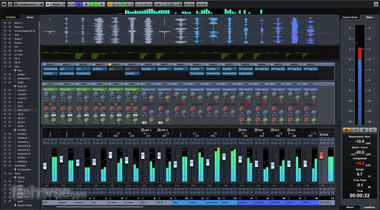
Standout instruments and effects: Retrologue 2 analogue-modeling subtractive synth; Padshop, great for ambient synth effects; HALion Sonic SE 2 sampler; Groove Agent SE drum sampler; Quadrafuzz v2 distortion plugin; REVerence convolution reverb; Frequency eight-band EQ.
Bundled library sound content: 90+ audio and MIDI effects plugins; 8 instruments with 3,400+ sounds/presets.
Operating Systems: MacOS, Windows
Available editions (standard prices): Cubase Elements ($99), Cubase Artist ($319), Cubase Pro ($569), Nuendo 7 ($1769), Nuendo Live ($319)
BUY NOW via Amazon | Thomann | Gear4music
6. Cockos REAPER
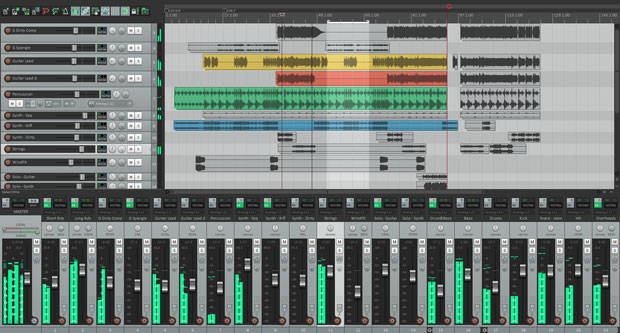
REAPER (Rapid Environment for Audio Production, Engineering, and Recording) has an unusual pricing and distribution method, being available only from the official website, and with a pricing structure that relies on the honesty of the user. That said, there’s nothing cut-price about the power or feature-set of this DAW, and it’s become very popular even without the marketing campaigns and exposure afforded competing products. Well worth checking out.
Key features: Highly customisable interface; Extremely flexible and configurable routing; VCA Grouping for controlling the level and pan of multiple tracks with a single fader; Integrated script editor; end-to-end 64-bit resolution for pristine audio processing quality; Comparatively low CPU hit for such a fully-featured DAW and a tiny software footprint, taking up just 62 MB on your hard drive; Currently on version 5.35, paying users get free software updates through version 6.99.
Standout instruments and effects: While no instruments or sample content are included, Reaper largely makes up for this with it’s bundled Rea range of effects plugins, including ReaComp, ReaDelay and ReaEQ.
Bundled library content: See above
Operating Systems: MacOS, Windows, Linux.
Available editions (standard prices): There is a single version of Reaper, which costs $60 for an individual/educational discounted license, and $225 for a commercial license.
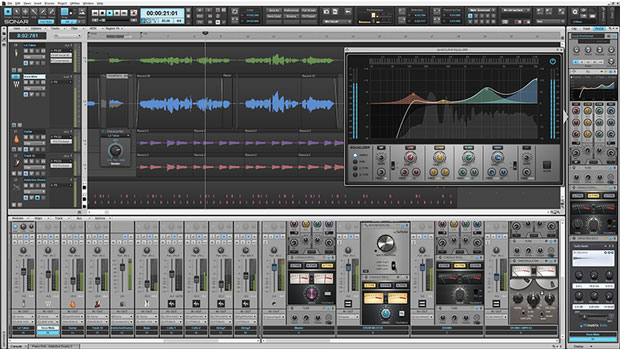
7. Cakewalk SONAR
 One of the earliest entrants to the MIDI sequencing scene back in 1987, Cakewalk brought out the first version of SONAR in 2007, and it’s continued getting better and more solid with each new release. In 2015, SONAR dropped the version numbers and became available under a monthly subscription plan, so you can now either pay for the software upfront – with FL Studio-style free lifetime updates – or use the platform on a monthly, rolling basis.
Key features: Dynamic control bar and Matrix View for fast and flexible arranging; Mix Recall for switching between multiple saved mixes for easy A/B comparisons; Integrated Melodyne Essential for pitch/time correction and VocalSync vocal alignment tool; Intelligent mastering with Landr.
Standout instruments and effects: Rapture synth/sampler; Dimension synth; Z3TA+ Classic synth: Overloud TH2 amp simulator and Breverb reverb plugin; Addictive Drums 2 Producer Bundle and Session Drummer 3; Tone2 Bifilter2 filter/distortion; Step Sequencer; ProChannel analogue console emulator.
Bundled library content: 23 instruments and 69 effects plugins (Platinum).
Operating Systems: Windows, with a MacOS version rumoured to be forthcoming.
Available editions (standard prices): Home Studio ($59.99), Artist ($119 one-time / $11.99 monthly), Professional ($239 one-time / $23.99 monthly), Platinum ($599 one-time / $59.99 monthly).
BUY NOW via Amazon | Cakewalk | Cakewalk.com | Gear4music
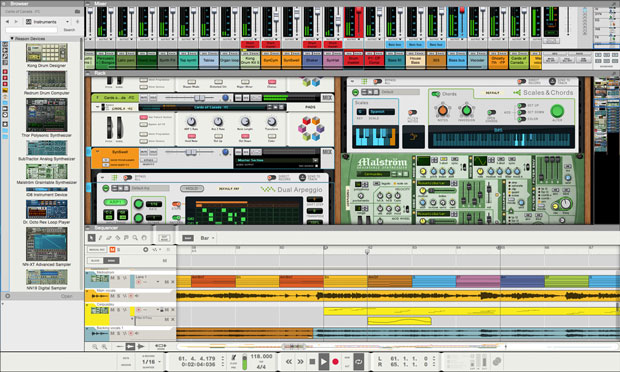
8. Propellerhead Reason
 Reason users are fairly evangelical about their chosen DAW: after all, it does everything, and in a fun and stylish way. Even the limitations of earlier versions – lack of third-party plugin support and inability to record audio – have now been resolved, making it basically impossible to find significant fault with Reason at all. And where version 8 didn’t deliver as much as hoped or expected, the release of the current version 9 heralded quite a significant upgrade and brought Reason fully back on track. An entire virtual studio (it even includes the virtual patch cables for hooking everything together) in a single software package is as much fun as it sounds: very enticing.
Key features: Rack Extensions; Player Devices encourage and support creative songwriting with Scales & Chords, Dual Arpeggio and Note Echo; Pitch Edit time/pitch manipulation tool; advanced time-stretching and loop integration (Propellerhead invented the REX sliced-audio loop format).
Standout instruments and effects: Thor semi-modular synth; Malstrom granular/wavetable synth; Subtractor analogue subtractive synth; Kong drum sampler; Redrum vintage drum machine; Dr. Octo REX loop player; NN-XT, NN-19 and ID-8 samplers; Combinator instrument and effects layering plugin; The Echo delay; Softube Guitar and Bass Amps.
Bundled library content: Over 5,000 instrument patches, 1,000+ effects patches, over 3,000 loops and 5800 drum and percussion samples.
Operating Systems: MacOS, Windows.
Available editions (standard prices): Reason Essentials ($74), Reason Full Version ($399).
BUY NOW via Amazon | Thomann | Gear4music
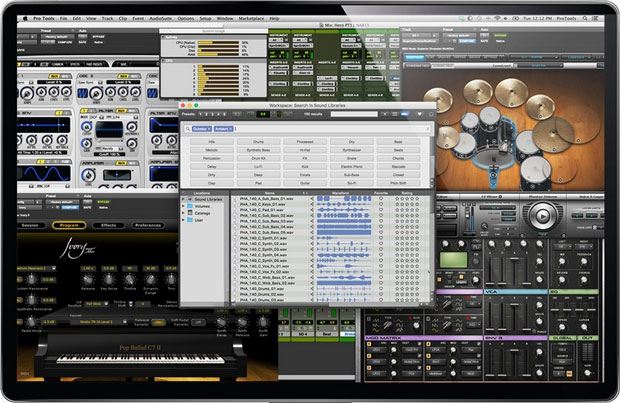
9. Avid Pro Tools
 The original industry standard DAW, ‘Pro Tools’ is virtually a household name – the ‘Hoover’ or ‘Biro’ of professional music recording and media audio post-production. In fact, a few versions back Pro Tools was in danger of losing it’s position as industry leader, but now while there are several contenders for that title very much snapping at Avid’s heels, version 12 proves that Pro Tools still has what it takes and couldn’t be considered an inferior choice by any standard. Found in every professional facility.
Key features: Unsurpassed audio editing features; Beat Detective drum replacement/alignment tool; Tight integration with proprietary audio interfaces and other DSP hardware mean Pro Tools boasts the most potential power of any DAW, and can be tailored to your specific requirements whether you’re in a bedroom studio or post-production facility. Avid are also the makers of the video-editing software Media Composer (itself the standard for film editing), so if you are a filmmaker or picture editor you may find Pro Tools the most natural extension into audio editing and music production.
Standout instruments and effects: The bundled series of AIR instruments and effects includes the AIR Boom drum machine, AIR Mini Grand acoustic grand piano, and AIR Xpand!2 ROMpler; Tape Echo, D-Verb and Studio Reverb; Recti-Fi super- and sub-harmonic enhancer; Time Shift pitch/time-stretcher; plus a complete bundle of virtual stomp box guitar effects are available for subscription and annual-plan users.
Bundled library content: 2,500+ presets with AIR Xpand!2 synth/sampler.
Operating Systems: MacOS, Windows.
Available editions (standard prices): Pro Tools First (Free), Pro Tools ($599 one-time individual license / $24.92 monthly), Pro Tools HD ($2,499 one-time individual license / $83.25 monthly)
BUY NOW via Amazon | Thomann | Gear4music
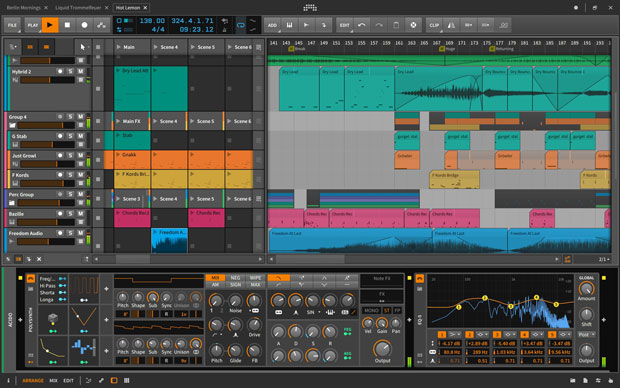
10. Bitwig Studio 2
 Still a relative newcomer, having first launched in 2014, Bitwig Studio has recently moved to version 2 and builds on it’s early promise. The very fact that it’s not weighed down by any kind of legacy feels like a big plus in this case, as Bitwig Studio 2 offers such a fresh and genuinely cutting-edge take on computer-based music production that we would bet on it becoming a major player over the next few years. As science fiction legend William Gibson said, “The future is already here. It’s just not evenly distributed.” Bitwig seems to be a logical progression from the leaps made by Live over the last few years – indeed, it was created by former Ableton developers. Whilst not sharing any actual code DNA with Live, the layout features integrated Clip and Arrange windows that hint at an effort to bridge between Live’s innovative functionality and more traditional sequencing. We recommend you demo this one.
Key features: Highly intuitive workflow with flexible interface; Modulator system allows you to assign modulators directly to any of Bitwig’s instrument and effect devices, blurring the traditional line between host DAW and plugin beyond even Ableton levels and making the platform into one large, semi-modular instrument; VST3 support is included though, so you can still integrate third-party plugins as usual; Full-window pop-up browser makes it quick and easy to sort and find the right samples and presets, auditioning them on the fly within the context of your mix; Extra levels of MIDI detail and expression with micro pitch and layered editing tools.
Standout instruments and effects: Polysynth, which can use as many of the modulators mentioned above as you want. In all, there are 28 audio effects, 11 instruments, 10 Container devices (such as Chain and Replacer), and 14 miscellaneous devices like Arpeggiator and Note Filter.
Bundled library content: Over 8 GB, including sounds from some of the most respected boutique sample labels like Irrupt, Capsun ProAudio, Sample Magic and ModeAudio; 2,000+ presets and clips.
Operating Systems: MacOS, Windows, Linux.
Associated hardware: Supporting the Multidimensional Polyphonic Expression standard, Bitwig Studio can capture the nuances of cutting-edge MIDI controllers like the Roli Seaboard and Linnstrument. Bitwig also features touch screen integration, so you can control the DAW with a tablet like the Microsoft Surface Pro or Surface Book.
Available editions (standard prices): Standard Version ($399)
BUY NOW via Amazon | Thomann | Gear4music
Other Noteworthy Mentions
If you’re still hankering after more options, you could check out MOTU Digital Performer, another well-established DAW that holds its own in terms of features and functionality. Also see Magix Samplitude, Acoustica Mixcraft, MuTools MuLAb, Renoise and Ardour.
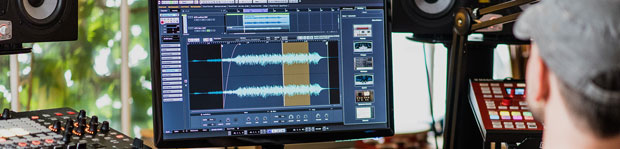
DAW Buyers Guide
In case the number of options still seems overwhelming, it’s important to say that, with todays DAW market, you won’t go drastically wrong with any of these major platforms.
It’s also never been simpler or more cost-effective to simply try out a demo and buy another one, should you decide your first choice DAW isn’t working for you. So don’t agonise for too long when you could be getting on with making some tunes.
Our Checklist Criteria For Matching A DAW To Your Requirements
All these great options can actually make the choice more difficult – if it’s a given that they all do everything pretty well, what’s to distinguish between them? These days it usually comes down to some relatively subtle and minor features and limitations.
Below we’ve outlined some of the key things to consider when making your own choice. Having answers to at least some of these questions will make your choices a lot easier when looking at the available options. Here’s our checklist:
Style/genre of music and preferred workflow
Do you want to focus on making loop-based dance/electronic music using samples and virtual instruments, or do you want to work with miked instruments, vocals and other recorded audio?
Some DAWs work best as digital audio recorders, and could be thought of as a natural progression from the old recording studio tape recorder/mixer paradigm; others are designed to favour MIDI and a completely electronic, in-the-box approach. For example, Pro Tools is broadly optimised for recording and mixing large numbers of audio tracks; Ableton Live is optimised for electronic music creation and manipulation of samples and audio in an improvisatory or live performance mode. This is not to say each DAW cannot do what the others do – it’s just easier to do some things in certain software due to the core workflow ethos they are built around.
Headline feature specifications
What are the standout features of each DAW? Are there particular deal-breaker features that you feel you must have?
Having a clear idea of what you’re looking for can prevent you getting swamped by the details of the feature lists, or indeed distracted by the promise of that Exciting New Feature™ (we’re all guilty here), that might be very cool but in reality be of limited use in the context of how you personally choose to work. Also consider that many new features in version updates are typically highlighted to keep existing and more advanced users happy, and may be of limited relevance to people still getting to grips with the basics of DAW music production. If you’re just starting out, we’d advise you to take a balanced look at both the core features as well as the new bells and whistles.
Example key features:
- Advanced but streamlined audio and MIDI editing, since this is really the bread-and-butter of DAW-based music production
- Warping, time-stretching and pitch-shifting functionality
- Easy writing and editing of automation and modulation
- Advanced and flexible routing options, such as easy grouping, bussing and side-chaining
- Plugin integration and sample management, such as Cubase’s MediaBay, Live’s integrated Browser and Bitwig’s Pop-Up Browser
- Features or plugins licensed from high-profile third-party companies can be welcome additions, such as Cytomics The Glue popping up as Glue compressor in Live, and Melodyne Essential integrated into both Studio One and SONAR for pitch correction duties.
Work environment
Do you want to bring your DAW into a live performance/DJing environment as well as studio-based recording and mixing?
The line has never been more blurry between the equipment used in the studio and on stage, so if you’re planning to perform or DJ with your music, you might find a DAW that is optimised for both will be your most flexible/cost-effective option.
Budget and potential upgrade paths
Consider how much you are prepared to spend on your music production setup right now, and how much more you might be prepared to invest in the future as you progress and your skills develop?
How experienced are you with music production? Do you want to start small/cheap, and work up to the big guns later, or do you want to dive straight in with a more flexible but expensive solution that will allow you to develop unimpeded without needing to upgrade in a few months? As we’ve detailed in the profiles above, most of the major DAWs come in a range of versions, usually breaking down something like this:
- Introductory version (sometimes bundled with a MIDI controller or other hardware purchase)
- Intermediate, mid-range version that includes most of the key features and fewer limitations than the introductory version
- Premium, flagship version that includes all of the most advanced features, bundled plugins and sample library content.
When researching a particular DAW range, pay particular attention to the feature differences and limitations between each version. This is the way to get the most appropriate DAW features for you at the best price, without missing features that are important to you or paying for features you don’t really want or need.
Bundled instruments, effects and library sound content
Are you planning to use the bundled instruments and effects, or will you be relying on third-party synths and effects plugins for your instruments and processor needs?
All of the popular DAWs now come with impressive collections of plugin instruments and effects. While they may not always be on a par with the best third-party versions in terms of features or quality, they should certainly not be summarily dismissed as perhaps they once were.
Related to the previous question, having some idea of which synths or effects you’re really going to be using may have an influence on which version of the DAW you go for. With the most expensive flagship version of a DAW, one of the things you are paying for is the bundled plugin collection and library content – if you know you’re not going to use this, it may be better to go for the mid-range version of the DAW and spend the difference on specific third-party plugins and particular sample packs that you know you really want.
GUI/visual preferences
Which graphical user interface style and colour scheme inspires you most?
Purists may scoff at the idea of being swayed by the visuals of audio software, arguing that only the sound should matter. But remember, you’ll be looking at that screen an awful lot over the years of your music production career, so it may as well be a view that inspires you. We feel the significance of whether you feel intuitively inspired when looking at and interacting with the DAW interface (and plugins in general) is generally underestimated.
But we’re not just talking cosmetics here: the way things are laid out visually has a huge effect on how you relate to the controls and interact with your audio material. GUI is part of workflow. Of course it’s difficult to know which style you like until you try a couple, which is why our suggestion here is, all other things being equal, to first go with your gut on what you find visually most appealing as a jumping off point. For example, maybe you like the look of a functional, minimalist Live-style interface, or more of a classic, Cubase-type setup with the more traditional-looking mix console fader strips appeals to you. When you invest in a DAW, you’re also investing to some extent in a broader creative ethos – this is one reason why certain types of producers, or producers from specific scenes and styles, often end up on the same DAW platform. The style of the GUI can be a big clue as to what the overall workflow ethos of the software is.
Audio interface compatibility
How much are you prepared to spend on additional hardware to use with your DAW? Are there integrated hardware/software bundles available for your platform?
Factor into your budget things like audio interfaces and control surfaces, depending on how you want to connect to and control your DAW software.
Pro Tools has always been about highly integrated hardware integration, with DSP-equipped interfaces for additional processing power. Similarly, Universal Audio’s UAD DSP interfaces provide independent processing power and hosting for their proprietary-format plugins, so if you’re tempted by a UAD Apollo Twin 2 interface (our personal recommendation here), consider that as well as providing access to high-end plugins, you’re also getting in effect an extra DSP computer to run them on, freeing up your actual computer’s processing power for larger DAW projects. PreSonus Studio One Artist comes free with every AudioBox audio interface, another attractive and streamlined option for starters. And while not an audio interface, if you really want to use Ableton’s Push 2, you’ll need to – surprise, surprise – use Ableton Live to make the most of it. Finally, Apple are able to offer Logic Pro X for a price far less than it’s true market value, because of the way it ties into the overall Mac-based environment and marketing strategy of hardware and software. So if you’re already invested in Apple, with a MacBook Pro for example, or are tempted to get one for music but are put off by the cost, Logic Pro X is an attractive way to ameliorate the cost of the hardware.
Outboard synths and effects interconnectivity
What role will your DAW play alongside any outboard gear you already have, or plan to get – how much production work will you be doing out of the box?
Even if you’re making electronic, loop-based music, it’s quite likely these days that you’ll be wanting to incorporate external synths or drum machines at some stage, if you don’t already. You might also want to send DAW tracks out to external effects processors and stomp boxes, for recording back into the computer in a classic hardware send/return loop. If this kind of thing appeals, consider what kind of general balance you’re looking to strike between in- and out-of-the-box activity, as this can help determine how fully-featured your DAW needs to be. Some DAWs are also designed with external connectivity in mind more than others, and so make it easier and faster to set up.
System requirements
Are you running MacOS or Windows – or Linux? How powerful is your computer? What is the processor speed and amount of memory?
Some DAWs are only available for a single operating system, for example FL Studio is Windows-only and Logic Pro Mac-only, so this may immediately rule out some options. All music software will have ‘minimum system requirements’ – the basic computer spec it needs to run properly – so it helps for you to know the basic specification of your computer beforehand.
Clearly you’ll want the most powerful computer you can afford to run your DAW software: but perhaps more than processor speed, the key thing with running large numbers of audio tracks and plugin instruments and effects is RAM. If you’re buying a whole new setup, you might want to consider the ratios of how much of your budget you devote to your hardware/computer, and how much to your DAW and plugin instruments and effects.
In some instances, there’s little point buying the flagship version of a DAW with the capacity for unlimited audio tracks if you don’t have a machine capable of running more than the track-count you are allowed in one of the streamlined versions.
Recommendations and endorsements from mentors and scene leaders
What do your musical heroes and the big name producers in your style use?
While it’s as well to be aware that well-known artists and producers are often paid to endorse all kinds of equipment and software, this can still often be a useful starting point, particularly if you want to make very genre-specific music (e.g. drum & bass, most forms of house and techno, or particular types of indie rock or metal, for example), where the methods of working can be relatively formulaic and lots of producers use essentially very similar studio setups. On the other hand, don’t be swayed too much, as your heroes probably simply worked out which gear suits their particular, personal way of working, and you should eventually try and do the same. Everyone has their own style (if they’re doing it right), and ultimately, you won’t know for sure whether your chosen software platform or any other tools are right for you until you start using them regularly.
Size of existing user base, level of community activity and support
Which DAWs are most popular?
While polls can be considered popularity contests, which are of course interesting in their own right but not exactly definitive measures of “best”, one advantage of picking one of the most popular DAWs is that you’ll have a greater wealth of free and premium tutorials and advice online, and a large and active online community to trade ideas with and ask advice from. Don’t underestimate the importance of the community or tribe that you effectively join when you choose a DAW.
Industry Standard Software Platforms
Are you interested in pursuing a career in a specialised area of the music or media industries, or plan on high levels of collaboration, sharing project files with other producers and external studios?
Just as with “most popular”, the label “industry standard” does not automatically mean the objective best tool for a given job, or for how you personally want to work. More often it refers to the fact that, by it’s nature, any industry wants to standardise equipment and methods of working so that they can have a reliable and efficient work-flow, easily transfer projects between any studio in the world with minimal unpredictability and risk, and train people with skills that can be transferred to many different professional studios without them having to re-learn new software and equipment each time.
That said, we’re in a moment of quite profound change and development in both the music listening and production arenas, driven by technology and the first generations of creators coming up who have no attachment to the old analogue studio paradigm on which the first DAWs were modeled. This is exciting, and it means that for most solo musicians, monolithic industry standards have probably never seemed less important, overall. So unless you’re looking for a job, choose what works for you.
Conclusion
To wrap up, we hope you’ll agree that there are at least a few good fits, “best” options, for everyone, and that we’ve provided enough of an overview and the key details to help inform your next DAW purchase.
One thing that we’ve realised while putting this guide together is just how awesome the DAW options are now, across the board. Development teams, we salute you! It’s easy to fall into that trap of criticising and dismissing some of the incredible tools we have to work and play with, and focus on the bug-bears. But the bottom line is: modern DAWs and production tools are really, really good, and the level of choice and quality is mind-blowing compared to just 10 years ago – it really is the best time ever to be producing music.
Which music production software is at the heart of your studio? Have you found a DAW that perfectly suits your style and production workflow? Chime in and let us know in the comments.
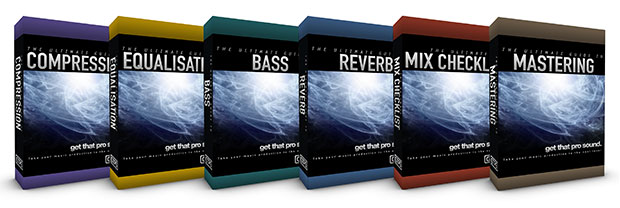
One your DAW is up and running, get a complete library of tips and techniques for enhancing your productions to a professional level – from advanced compression techniques to shaping your beats and sounds into a cohesive mix, controlling and enhancing the low frequencies for the best possible bass, correctly applying reverb and making fine-tuned EQ adjustments – it’s all covered in the Ultimate Guides series:
And if you like this post, you might also like these:
The 10 Best Audio Interfaces – Essential Buyers Guide 2017
The 10 Best Reverb Plugins In The World 2017
25 Of The Best Drum Plugins In The World 2016
5 Comments
wow, such a deep extensive DAW comparison and not a single word about score/notation editing ??? That’s the problem with daw these days, they seem to be meant for non-musicians, more and more, something that seems to be happening in the synth industry too (if you do a quick search on BH for synth, 8 in 10 products has no keyboard!)
Congrats to Steinberg that still considers audio producer as people who can read music and want to print their work at some point !
Also energy xt daw.
Synapse audio Orion is a basic daw worth mentioning.
I agree! It’s amazing that there are so many quality options available! And when you consider how the DAW itself is a musical instrument, and that in junction with the many available external plugins and digital instruments, salplers and synths, its easy to see how accessible and customizable the studio ambient has become. Here at Musicblip we’re particular fans of Ableton Live, for example. And that’s just as ok as anyone else using other DAWs!
Thanks for sharing!
I started at the beginning on cakewalk when computers had 20MB hard drives and when a 40MB hard drive was introduced we rejoiced at so much extra storage space. My next “DAW” experience was Visions by Opcode and from then till now I have not used a piece of software that connected with me like Visions. If you ever review a platform with features similar to Opcode please write a review on it and let the public know what it is. Thank you kindly in advance. Peace.